
Utilities
SAM 2.1 Hiera Large
Click or draw a box on an object and get back a mask outlining it.
Fine-tunablePRITHVI_EO_2_SEN1FLOODS11Maps water and floods from satellite images: send a Sentinel-2 GeoTIFF and get a water mask at the image's size, with its box, score, share of water and the map coordinates to place it. Fine-tune it on your own labelled images.
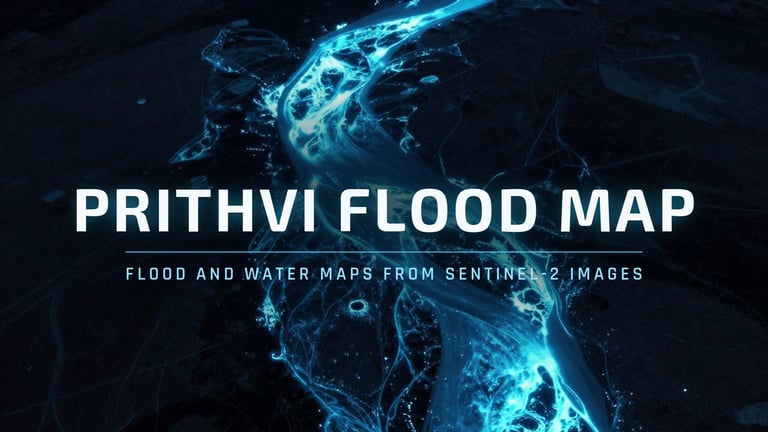
Prithvi-EO-2.0 by IBM and NASA (ibm-nasa-geospatial), released under the Apache License 2.0, fine-tuned for flood mapping on Sen1Floods11 (Bonafilia et al.); the network code is TerraTorch's (Apache License 2.0).
| Name | Type | Required | Default | Details |
|---|---|---|---|---|
image | file | Yes | — | A GeoTIFF (name it .tiff) of up to 20 MB and 16 megapixels (sides rounded up to a multiple of 512) with the six Sentinel-2 bands blue, green, red, narrow NIR (B8A), SWIR 1 (B11), SWIR 2 (B12), in this order, or all 13 bands of a Sentinel-2 L1C product. 1–2048 characters · image/tiff |
scale | number | No | 0.0001 | What the file's values are multiplied by to give reflectance (0 to 1): 0.0001 for Sentinel-2's integer numbers, 1 for values that already are reflectance. 0.000001–1 |
threshold | number | No | — | Lowest water probability of a water pixel, 0 to 1; lower finds more water. Empty uses 0.5. 0–1 |
Output. JSON: {"width", "height", "segments": [{"label", "score", "box", "mask"}] (one "water" segment if any), "water_fraction", "geo": {"crs", "transform", "bounds"}}: box in pixels, mask a COCO RLE {"size": [h, w], "counts"}.
Send your API key in the X-API-Key header. The run is asynchronous: submit it, then poll it until it finishes. Create an API key.
curl -X POST "https://api.kainguru.com/api/v1/executions?mlFlowId=PRITHVI_EO_2_SEN1FLOODS11" \
  -H "X-API-Key: kg_your_api_key" \
  -H "Content-Type: application/json" \
  -d '{
  "input": {
    "image": "https://example.com/input.png",
    "scale": 1.0E-4
  },
  "outputFormat": "json"
}'

# Poll until the execution reaches a terminal state
curl "https://api.kainguru.com/api/v1/executions/{executionId}" \
-H "X-API-Key: kg_your_api_key"from kainguru import KainguruClient
with KainguruClient(api_key="kg_your_api_key", base_url="https://api.kainguru.com/api") as client:
submitted = client.executions.execute(
"PRITHVI_EO_2_SEN1FLOODS11",
{
"image": "https://example.com/input.png",
"scale": 1.0E-4
},
output_format="json",
)
result = client.executions.await_completion(submitted.id)
print(result.execution.output)You can fine-tune Prithvi-EO 2.0 Sen1Floods11 on your own data and run the tuned model through the same API. Dataset: One ZIP (at most 4 GB, no password) with 4 to 1000 GeoTIFF chips (224 to 1024 pixels a side), a one-band label GeoTIFF for each (0 no water, 1 water, 255 left out) and a manifest.jsonl of {"image", "mask"} lines. More: Good to know, README.
The steps are in the docs.
Price per image: 0.0874 credits ($0.000874). The price is shown again before every run; all prices are on the pricing page.
Click or draw a box on an object and get back a mask outlining it.
Fine-tunable
Outlines the things you name in a picture, such as "red car, person with a helmet", with a mask and a box for each one.
Fine-tunable
Fast background removal that returns the subject of a photo on a transparent background, or as a black-and-white mask.
Fine-tunable
Finds every object of 80 everyday kinds in a picture, such as people, vehicles, animals and furniture, and outlines…
Fine-tunable
Removes the background from a photo and returns the subject on a transparent background, or as a black-and-white mask.
Fine-tunable
Finds the clothes a person wears in a photo and returns a mask for the upper body, the lower body and full-body…
Fine-tunable