Video Editing
Background Matting v2
Cuts a person out of video precisely, hair included, when you also give a picture of the empty background from the…
Fine-tunableMUSETALK_1_5Makes a face in a video say new words. Send a clip of one talking face and an audio file; the mouth and jaw move to the audio and the result carries it as its sound. Learns your presenter from your own clips.
MuseTalk by Yue Zhang, Zhizhou Zhong, Minhao Liu, Zhaokang Chen, Bin Wu, Yubin Zeng, Chao Zhan, Junxin Huang, Yingjie He and Wenjiang Zhou (Lyra Lab, Tencent Music Entertainment), released under the MIT License, Copyright (c) 2024 Tencent Music Entertainment Group. Built with the Stable Diffusion VAE sd-vae-ft-mse (MIT License), Whisper tiny by OpenAI (Apache License 2.0) and DWPose by IDEA Research (Apache License 2.0); training also uses torchvision's VGG19 (BSD-3-Clause).
| Name | Type | Required | Default | Details |
|---|---|---|---|---|
audio | file | Yes | — | The speech the mouth should say: WAV, MP3, FLAC, OGG, M4A, AAC or WebM, at most 20 seconds and 30 MB. The result is as long as it is. 1–2048 characters · audio/wav, mpeg, flac, ogg, mp4, aac, webm |
video | file | Yes | — | A clip of one face talking to the camera: MP4, MOV, WebM or MKV, at most 200 MB, 300 frames, 10 to 60 frames per second (25 is best). It is played forward and back to last as long as the speech. 1–2048 characters · video/mp4, quicktime, webm, x-matroska |
extra_margin | integer | No | 10 | Pixels below the chin that are generated too, so the jaw can open without leaving a seam. 0–40 |
Output. Returns MP4 video: The talking-face clip with its mouth moving to the speech: H.264 MP4 at the clip's frame rate (at most 1280 pixels on the longer side), with the speech as its sound.
Send your API key in the X-API-Key header. The run is asynchronous: submit it, then poll it until it finishes. Create an API key.
curl -X POST "https://api.kainguru.com/api/v1/executions?mlFlowId=MUSETALK_1_5" \
  -H "X-API-Key: kg_your_api_key" \
  -H "Content-Type: application/json" \
  -d '{
  "input": {
    "audio": "https://example.com/input.png",
    "video": "https://example.com/input.png",
    "extra_margin": 10
  },
  "outputFormat": "json"
}'

# Poll until the execution reaches a terminal state
curl "https://api.kainguru.com/api/v1/executions/{executionId}" \
-H "X-API-Key: kg_your_api_key"from kainguru import KainguruClient
with KainguruClient(api_key="kg_your_api_key", base_url="https://api.kainguru.com/api") as client:
submitted = client.executions.execute(
"MUSETALK_1_5",
{
"audio": "https://example.com/input.png",
"video": "https://example.com/input.png",
"extra_margin": 10
},
output_format="json",
)
result = client.executions.await_completion(submitted.id)
print(result.execution.output)You can fine-tune MuseTalk 1.5 on your own data and run the tuned model through the same API. Dataset: One ZIP (at most 4 GB, no password) with 1 to 100 talking-face clips with their sound and manifest.jsonl: a {"video"} line per clip. More in Good to know, in the README.
The steps are in the docs.
Price per frame: 0.06612 credits ($0.0006612). The price is shown again before every run; all prices are on the pricing page.
Cuts a person out of video precisely, hair included, when you also give a picture of the empty background from the…
Fine-tunable
Colourises black-and-white video with DeOldify's video model: plausible colour for every frame, laid over the original…
Fine-tunable
Raises a video's frame rate 2, 3, 4 or 8 times by predicting the frames in between, fast enough for long clips (RIFE…
Fine-tunable
Removes burned-in subtitles and captions from a video: finds the text on every frame and fills it in from the rest of…
Fine-tunable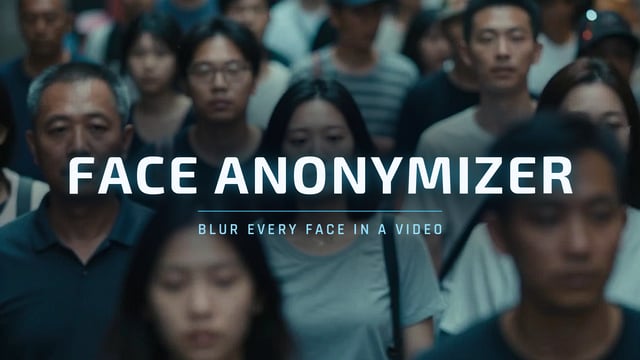
Finds every face in a short video and covers it on each frame with a blur, pixelation or a solid box.
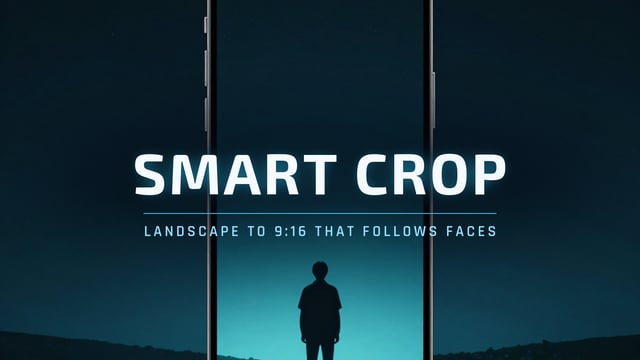
Turns a landscape clip into a 9:16 vertical clip whose window follows the largest face.